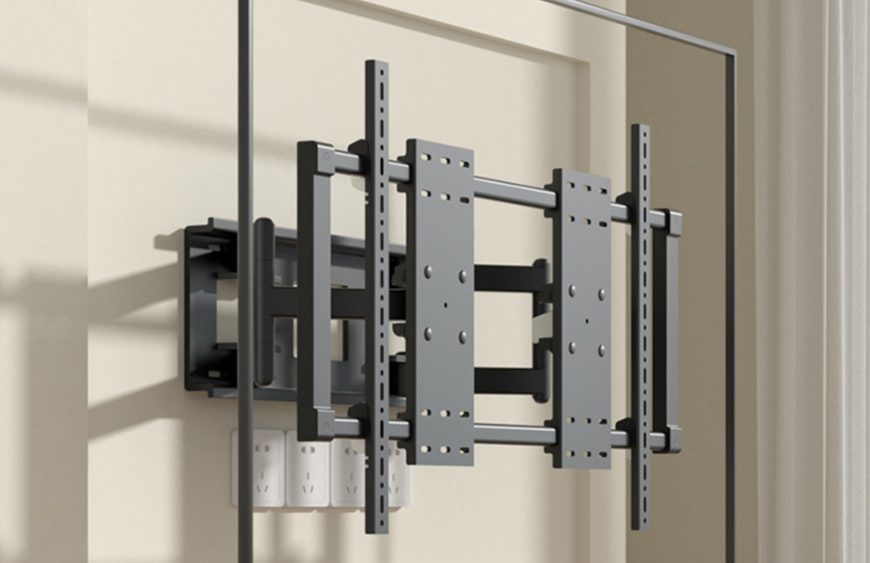
A full motion TV mount lets you pull your TV off the wall. You can tilt it and swivel it to face wherever you sit. It’s the most flexible way to mount a television. This guide covers how a full motion TV mount works and where it beats a fixed mount. It also shows how to handle corners and pick the right model for your screen.
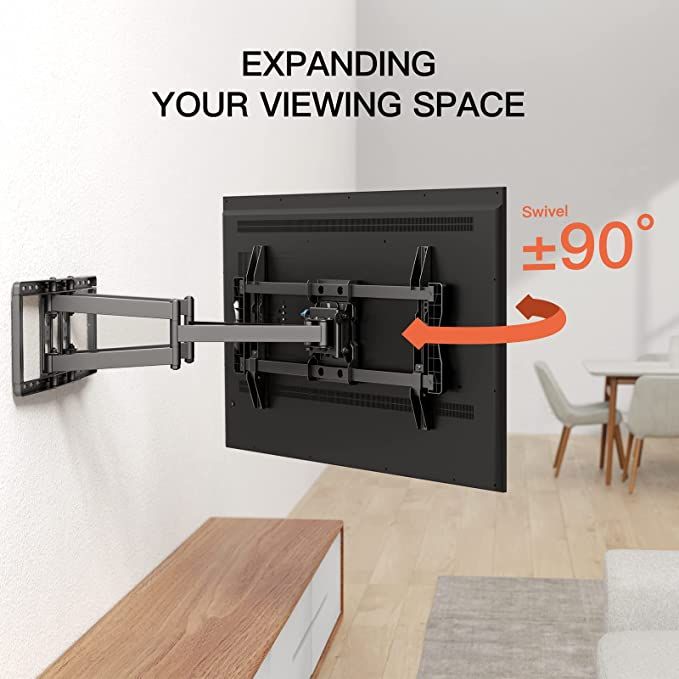
What is a full motion (swivel) TV mount?
A full motion TV mount also goes by swivel mount or articulating mount. It uses an extending arm to move your TV in several directions. Tilt it up or down. Swivel it left or right. Extend it from the wall, then fold it back flush when you finish. A fixed mount holds the TV flat and still. A full motion mount lets the screen follow you around the room.
Full motion vs fixed TV mount: which should you choose?
Pick a fixed mount when the TV sits directly in front of your seating at eye level. It costs less, sits slimmer, and stays simple.
Pick a full motion TV mount when any of these apply:
- You watch from more than one spot — the sofa, the dining table, the kitchen.
- The TV goes in a corner or on an angled wall.
- You mount it higher than eye level and need to tilt it down.
- You want easy access to the ports behind the TV.
For most living rooms where seating isn’t fixed in one place, a full motion mount is the more comfortable choice.
Can you mount a TV in a corner?
Yes, and a swivel TV mount is what makes it work. A fixed mount in a corner points the TV awkwardly into the room. A full motion mount lets you angle the screen out of the corner toward your seating. Everyone gets a square-on view. The same logic applies to L-shaped and open-plan rooms. There, one TV has to serve a couch and a kitchen at different angles.
Tono’s LPC 501 suits this perfectly. Its long single-arm design and full 180-degree swivel angle a TV out of a corner with ease. It handles screens up to 77 inches, including large OLED panels.
Choosing a full motion TV mount by screen size
Screen size drives two things: the mount’s load rating and its VESA pattern.
- Up to 55–65 inches. A standard full motion mount handles these comfortably.
- 65–77 inches, including OLED. You want a sturdy single-arm swivel mount rated for the weight. The Tono LPC 501 covers 42–77 inches.
- 75–100 inches. Large panels get heavy. A 75-inch TV can weigh 30–45 kg. Step up to a heavy-duty mount. The Tono LPC 04 covers 55–100 inches and supports up to 100 kg.
Always match two numbers. Pick a mount rated above your TV’s weight. Then confirm its VESA pattern includes your TV’s hole spacing.
How to install a full motion TV mount on a brick wall
A full motion mount puts more leverage on the wall than a fixed one. The TV extends out on an arm, so the wall fixing matters even more. Most Indian homes have solid brick or RCC concrete walls. They hold a full motion mount very securely when you fix it correctly:
- Use a masonry drill with a carbide bit sized to your wall anchors.
- Fix into solid brick or concrete, not the mortar joints between bricks.
- Use wall anchors rated above your TV’s weight. The anchor carries the load, not just the screw.
- Level the bracket, then attach the arm and the TV.
For drywall, you must hit the studs or use a backing plate that spans them. For large or heavy TVs, bring in a professional installer.
Frequently asked questions
What is a full motion TV mount?
It’s a mount with an extending arm. You can tilt, swivel, and extend your TV, then fold it back flush to the wall. People also call it a swivel or articulating mount.
What’s the difference between full motion, swivel, and articulating mounts?
They describe the same type. All three mean a mount that moves in several directions. A fixed mount, by contrast, holds the TV still.
Is a full motion TV mount better than a fixed one?
It’s better when you watch from several angles, mount in a corner, or need the ports behind it. A fixed mount works only when the TV sits straight in front of your seating.
Can you put a full motion TV mount in a corner?
Yes. A swivel mount angles the TV out of the corner toward your seating. Tono’s LPC 501, with its 180-degree swivel, is built for corner and open-plan setups.
What size TV does a full motion mount support?
It depends on the model. Match the mount’s weight rating to your TV and check the VESA pattern. The LPC 501 covers 42–77 inches. The LPC 04 covers 55–100 inches and up to 100 kg.
How do you install a full motion mount on a brick wall?
Use a masonry drill and carbide bit. Fix into solid brick or concrete, not the mortar joints, with anchors rated above your TV’s weight. Level the bracket, then attach the TV. Use a professional for large TVs.
The bottom line
A full motion TV mount gives you one thing a fixed mount can’t. You can point your screen wherever you sit. It’s the right call for multi-angle rooms, corners, and open-plan spaces. Match the mount to your TV’s size and weight, and fix it properly to a solid wall. You get a flexible, secure setup that still looks clean when folded away.
Watching from more than one spot, or mounting in a corner? Explore Tono’s swivel TV mounts, or get in touch. We’ll match the right full motion TV mount to your TV and your room.