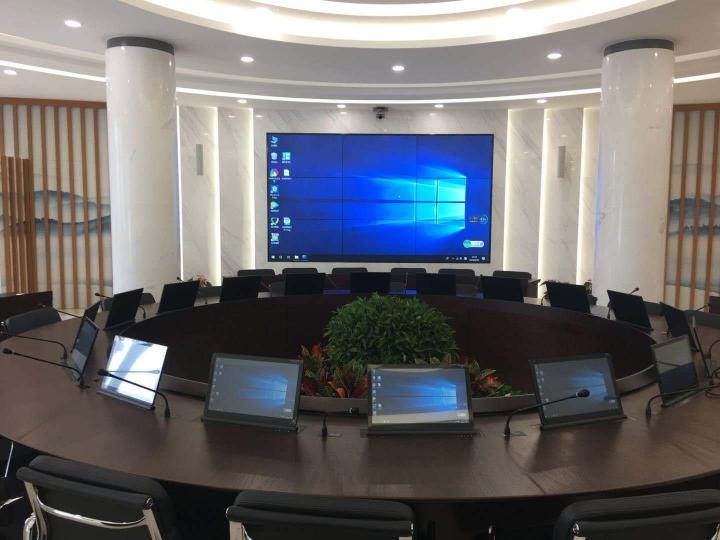
A motorized retractable monitor lift hides a screen inside a desk or conference table and raises it at the push of a button. Picture a clean, empty desk with no screen in sight. Press a button, and a monitor rises smoothly from the surface, ready to use. Press it again, and it drops back into the table, leaving the surface clear. A retractable monitor lift solves a problem that ordinary stands and arms can’t.
This guide explains what a monitor lift is, how it works, where it helps most, and how to choose one.
First, let’s clear up the confusion
People use “monitor lift” for two very different things. Let’s separate them:
- A monitor riser or arm raises your screen up for better ergonomics. It keeps the screen visible at all times. It’s a desk accessory.
- A retractable monitor lift raises your screen out of the desk and hides it completely when you finish. It builds right into the furniture.
This article covers the second kind — the concealed, motorized lift. Want your monitor a few inches higher for neck comfort? A riser or arm is the cheaper, simpler answer. Want the screen to vanish entirely for a clean, secure, or multipurpose surface? Read on.
How a motorized retractable monitor lift works
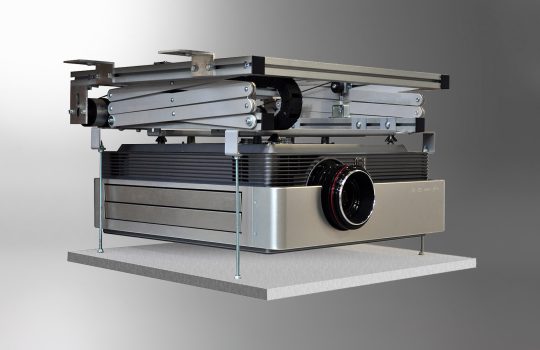
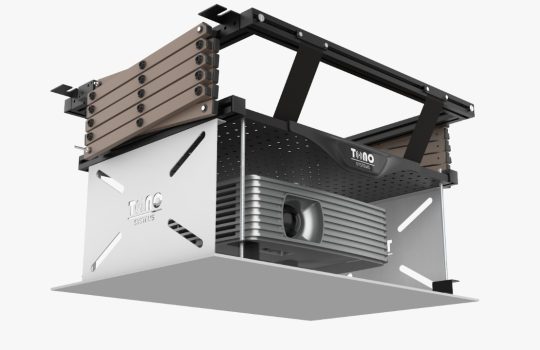
A retractable lift sits inside a housing beneath the desk or table. A motor — typically a linear actuator — drives the monitor up through a slot in the surface. The same motor lowers it back down on command, usually from a button, a switch, or a control system. Good lifts add the engineering that makes this smooth and safe. Soft-start and soft-stop motion lets the screen glide rather than jerk. Anti-collision sensors stop the mechanism if something blocks the path.
The Tono ID 1 works exactly this way. When you don’t need it, the monitor drops into its housing and leaves a clean surface. At the push of a button, it rises smoothly into position. It includes soft start/stop motion and anti-collision sensors for safety. It also offers a customizable viewing angle for comfort over long sessions and an optional touchscreen for interactive use. A customizable faceplate lets it match the surrounding furniture, so it blends into the interior.
Where retractable monitor lifts make the biggest difference
A lift earns its place wherever a visible screen causes a problem — for looks, for sightlines, or for security.
Boardrooms and conference tables. Screens drop away, so the table looks clean between meetings and nothing blocks the view across it. When a presentation starts, the monitors rise for everyone who needs one. A retractable monitor lift also pairs well with other concealed AV, such as a ceiling camera lift or an in-table cable cubby.
Executive offices and reception desks. A clean desk reads as a more premium space. The screen appears only when you need it.
Trading desks, control rooms, and secure spaces. Sometimes a screen shouldn’t stay on display, or shouldn’t face visitors. Retracting it keeps the room tidy and adds privacy.
Multipurpose and luxury interiors. Some rooms serve more than one function. High-end homes often want technology present but not on show. A surface that switches from screen to clear table fits both.
The common thread runs through all of them. The surface needs to look clean when the screen sits idle, and only a lift delivers that.
Buying a professional lift vs building your own
Many people researching monitor lifts run into DIY kits, IKEA hacks, and “build your own hidden monitor desk” plans. These can work. Still, weigh the trade-offs first.
A self-built lift usually means three jobs: sourcing a generic actuator, building a housing, and wiring the controls yourself. The risks pile up fast. The motion can run noisy or jerky. A home build rarely includes collision protection. An ill-fitting slot looks unfinished. And nothing covers you if it fails. For a personal hobby desk, that may be a fair gamble.
For a boardroom, a client-facing office, or anywhere reliability matters, an engineered product is the safer call. You get tested motion control, safety sensors, a clean faceplate, real support, and a warranty. Those features turn a clever idea into furniture you can trust for years.
What to look for in a retractable monitor lift
- Safety features. Soft start/stop and anti-collision sensors protect both the hardware and anyone nearby.
- Monitor compatibility. Check the screen size and weight it supports. Decide whether you want a built-in display, a touchscreen, or the option to fit your own monitor.
- Integration and finish. A slim housing and customizable faceplate make the lift look built-in. Confirm it suits your desk or table thickness.
- Control. A simple button suits most rooms. For AV-integrated spaces, check that it ties into your control system.
- Build and support. Robust construction, easy maintenance, and a real warranty matter for something that moves thousands of times.
Frequently asked questions
What is a retractable monitor lift? It’s a motorized mechanism that fits into a desk or conference table. It raises a monitor into view on demand and hides it when you don’t need it, leaving a clean surface. A riser or arm, by contrast, keeps the screen visible all the time.
How does a motorized monitor lift work? A motor raises and lowers the monitor through a slot in the surface on command. Good lifts use soft start/stop motion and anti-collision sensors, so the movement stays smooth and safe.
Where do people use monitor lifts? Boardrooms and conference tables, executive and reception desks, trading and control rooms, and premium or multipurpose interiors — anywhere a clean, screen-free surface matters between uses.
Is a monitor lift safe? What stops the screen from causing damage? Anti-collision sensors halt the mechanism if something enters the path, and soft start/stop motion keeps the movement gentle. The Tono ID 1 includes both.
Can a monitor lift have a touchscreen? Yes. The Tono ID 1 offers an optional touchscreen, alongside a customizable viewing angle.
Should I build a DIY monitor lift or buy one? DIY can suit a personal project. A professional lift adds more: tested safety, a clean finish, reliability, and a warranty. Those matter for offices, boardrooms, and any setting where it has to work flawlessly.
Will a monitor lift fit my desk or conference table? Most lifts fit a range of surfaces, and a customizable faceplate helps match the look. Just confirm your surface thickness and the monitor size you plan to use.
The bottom line
A retractable monitor lift serves one goal: a screen that’s there when you need it and gone when you don’t. Need better ergonomics only? A riser or arm will do. Planning a boardroom, an executive office, or any space that needs a clean, screen-free surface? A lift is the only option that delivers. An engineered product like the Tono ID 1 gives you exactly that. It brings the safety, finish, and reliability a serious workspace deserves.
Want to see it in action or talk through your space? Get in touch, and we’ll help you choose and integrate the right monitor lift for your desk or conference table.