
How to Choose a Projector Screen: Types, Size, Screen Colour, and Whether You Even Need One
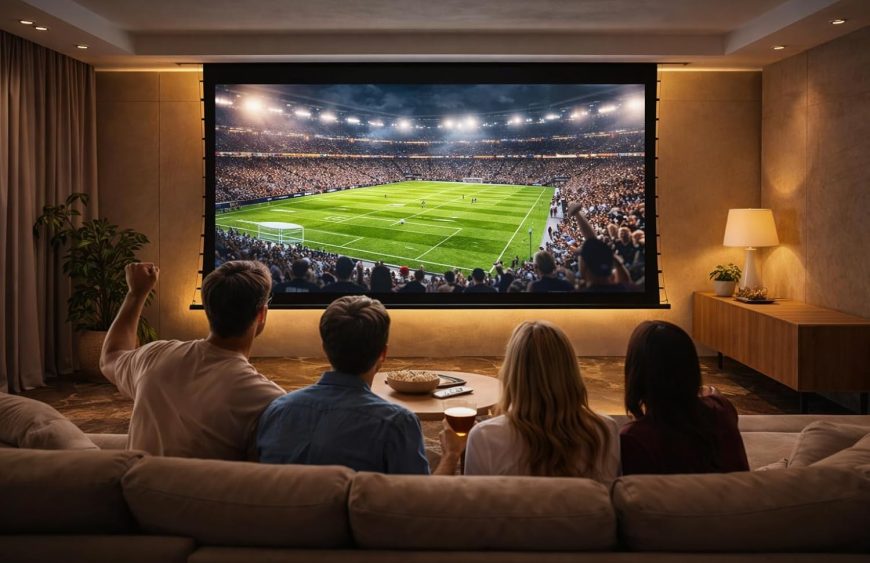
A projector is only half of a home theatre. The surface you project onto decides how bright, sharp, and watchable the picture actually is — and it’s the part most people underestimate. This guide answers the real questions buyers ask, in order: do you even need a screen, screen or TV, which type, what colour, and what size — then where Tono’s screens fit.
Do you need a projector screen, or can you just use the wall?
This is the first question worth settling, because painting a wall white is tempting and cheaper. A plain wall can work in a pinch, but it has real limits: ordinary wall paint isn’t perfectly flat or uniformly coloured, the texture scatters light and softens detail, and you rarely get a clean, defined border. The result is a dimmer, less sharp, lower-contrast image.
A proper screen is engineered for projection — a flat, tensioned, optically consistent surface with a defined gain (how much light it reflects back) and a black border that visually sharpens the picture. Specialist screen paint is a middle option, but it still can’t match a tensioned screen for flatness and contrast. If you care about image quality, a screen is the upgrade that makes the projector look like the one in the showroom.
Projector screen vs TV: which is right for you?
The honest answer depends on two things: room light and screen size.
A TV wins in bright rooms. Modern 4K TVs are punchy enough to fight daylight and need no dark room. But they get expensive and physically unwieldy fast beyond about 85 inches.
A projector and screen win on sheer size and cinema feel. For a 100-inch-plus image, projection is dramatically cheaper than an equivalent TV, and the big-screen experience is hard to beat — provided you can control the light, or you use an ambient-light-rejecting (ALR) screen (more on that below).
Many homes end up with both: a TV for casual daytime viewing and a projector screen for proper movie nights.
The types of projector screen
Screens differ in how they mount and how they behave. The main types:
Fixed-frame screens stay permanently taut on a frame on the wall. They give the flattest surface and the cleanest look, ideal for a dedicated home-theatre room where the screen is always up.
Motorized (electric) drop-down screens roll down from a housing at the push of a button and retract out of sight when you’re done — perfect for multipurpose living rooms where you don’t want a screen on show all the time.
Tab-tensioned motorized screens add side tensioning so the material stays perfectly flat as it drops, avoiding the waves a plain roll-down screen can develop. The choice when you want both retractability and a flawless surface.
ALR (ambient light rejecting) screens use special optical layers to reject light coming from the sides or overhead, so the picture stays punchy in rooms that aren’t fully dark. Essential for living rooms with windows and lights.
UST ALR screens are a specific ALR type designed for ultra-short-throw projectors that sit just below the screen — paired correctly, they deliver a TV-like image in ambient light.
Floor-rising screens rise up from a floor-standing case, useful where ceiling mounting isn’t practical or you want portability.
Large-format screens cover the very big installations — auditoriums, hotels, conference halls — at sizes well beyond a home setup.
Tono makes all of these — fixed-frame, motorized, tab-tensioned, ALR floor-rising, UST ALR in-ceiling, floor rise-up, and large-format up to 200–450 inches — custom-made to your room and aspect ratio.
Which screen colour is best: white, grey, or black?
One of the most-asked questions, and the answer is about your room’s light:
- White screens give the brightest image and best colour in a dark room. For a dedicated, light-controlled theatre, white is usually the right call.
- Grey screens (sometimes called “high-contrast grey”) absorb some ambient light to deepen black levels, which helps in rooms that aren’t fully dark — at the cost of a little peak brightness.
- ALR materials (which can look grey or have a layered surface) are the choice for genuinely bright rooms, rejecting off-axis light to preserve contrast.
Rule of thumb: dark room → white; some ambient light → grey or ALR; bright living room → ALR (and UST ALR if you’re using an ultra-short-throw projector).
What size projector screen do you need?
Size is driven by your seating distance and room dimensions, not just preference. A common guideline for mixed home use is a screen diagonal roughly equal to your viewing distance divided by about 1.5 to 2 — so a sofa around 12 feet (≈3.6 m) back suits something in the 100–120 inch range. For movie-focused setups people sit closer relative to size; for mixed TV-style viewing, a touch smaller.
Also check:
- Wall and ceiling space — the screen plus its border and housing must fit, with the bottom of the image at a comfortable height.
- Throw distance — your projector must be able to fill the chosen size from where it’s mounted.
- Aspect ratio — 16:9 suits most TV and gaming; 2.35:1 suits cinema-focused rooms. Tono screens are available in 16:9, 16:10, 4:3, and 2.35:1.
When in doubt, share your room dimensions and seating distance and have the size recommended rather than guessing.
Fixed vs motorized: a quick decision
Choose fixed-frame for a dedicated theatre room where the screen lives permanently on the wall and you want the flattest possible surface. Choose motorized (ideally tab-tensioned) for a living room or multipurpose space where the screen should disappear when not in use. If ceiling mounting is awkward, a floor-rising motorized screen solves it.
Frequently asked questions
Do I need a projector screen or can I just use a white wall? A wall works at a basic level, but it can’t match a screen’s flatness, uniform colour, defined gain, and black border — so the image is dimmer and less sharp. For good picture quality, a dedicated screen is worth it.
Projector screen vs TV — which is better for a home theatre? A TV is better in bright rooms and at sizes up to roughly 85 inches. A projector and screen are better for 100-inch-plus, cinema-style viewing and cost far less at large sizes — especially with an ALR screen if the room has ambient light.
What are the main types of projector screen? Fixed-frame, motorized drop-down, tab-tensioned motorized, ALR (ambient light rejecting), UST ALR for ultra-short-throw projectors, floor-rising, and large-format. The right type depends on your room and how often the screen is in use.
Which projector screen colour is best — white, grey, or black? White for dark, light-controlled rooms (brightest image); grey/high-contrast for rooms with some ambient light (deeper blacks); ALR for bright rooms. Match the screen to your lighting, not the other way round.
What size projector screen do I need for my room? Base it on seating distance and room size — roughly your viewing distance divided by 1.5–2 for the diagonal, then confirm wall/ceiling space, projector throw distance, and aspect ratio. A 100–120 inch screen suits many living rooms.
What is an ALR screen and do I need one? An ambient-light-rejecting screen reflects the projector’s light back to viewers while rejecting room light from other angles, keeping the picture punchy in rooms that aren’t dark. You need one if your room has windows or lights you can’t fully control, or if you use a UST projector (then a UST ALR screen).
Should I choose a fixed or motorized screen? Fixed-frame for a dedicated theatre that’s always set up; motorized (tab-tensioned for the flattest surface) for a multipurpose room where the screen should retract out of sight.
The bottom line
Choosing a projector screen comes down to a short chain of decisions: a real screen beats a bare wall, projection beats a TV once you want a big cinematic image, then pick the type, colour, and size to match your room and its light. Get those right and the projector you already love will look noticeably better.
Planning a home theatre or media room? Tell us your room size, seating distance, lighting, and projector type, and Tono will recommend and custom-make the right screen — fixed, motorized, tab-tensioned, ALR, or UST — for your space.